Windows 12 isn’t out yet — most signs point to a 2026–2027 launch with AI agents, deeper cloud integration and NPU support. Here’s the latest, and how to run a Windows 11 cloud desktop today while you wait.
📅 Quick answer: when is Windows 12 coming out?
As of August 2026, Microsoft has not officially confirmed Windows 12 or an official release date. Most experts now expect a launch in late 2026 to 2027 (2027 looks more likely). You can’t test Windows 12 yet — but you can try a full Windows 11 desktop in the cloud for free right now, straight from your browser.
Windows 12 is expected to launch between late 2026 and 2027, though Microsoft hasn’t confirmed an official release date or even the existence of “Windows 12.” Speculation is based on previous release patterns, with Windows 11 updates scheduled through October 2027. The new version is rumored to focus heavily on AI, cloud integration, and improved performance, possibly requiring advanced hardware like Neural Processing Units (NPUs).
For users interested in trying Windows 12 as soon as it becomes available, there are already ways to prepare for it today.
Key Points:
Release Timeline: Likely late 2026 to 2027.
AI Features: Advanced tools like natural-language search and task automation.
Cloud Options: Greater focus on cloud-based usage, making it easier to run Windows without local installation.
Hardware Requirements: Potential need for NPUs and higher RAM for full functionality.
Testing Availability: No beta builds yet, but future previews will likely be available through the Windows Insider Program.
For those unable to meet hardware requirements, cloud-hosted Windows desktops offer a way to access modern Windows features without upgrading your device. Stay tuned for updates from official Microsoft channels to avoid scams.
Want to try Windows 12 without installing anything?
Want to try Windows 12 without installing anything? Join the early access list.
Microsoft hasn’t officially announced a release date – or even confirmed the existence of “Windows 12” – but many industry experts predict a launch in late 2026 or 2027. This estimate is based on the company’s historical release patterns and current support timelines.
Windows 11 debuted in October 2021, six years after the release of Windows 10 in 2015 [1]. If Microsoft sticks to this pattern, the next major version could emerge around 2027. Supporting this theory, Windows 11 version 25H2 is scheduled to receive updates through October 2027 [1], a timeline that often aligns with the introduction of a new operating system.
The lack of any mention of Windows 12 at CES 2026 suggests it’s unlikely to launch in the first half of that year. Instead, Microsoft has been focusing on its annual feature updates, such as 24H2 and 25H2, which typically roll out each fall. This approach, part of the “Windows as a Service” model, allows the company to continuously add new features without rushing into a full OS overhaul.
Earlier rumors of a 2024–2025 release have faded, especially since Microsoft seems more invested in enhancing AI features within Windows 11. Innovations like Copilot+ PCs and Neural Processing Units (NPUs) are taking priority over releasing a new version prematurely.
While autumn 2027 seems like the most plausible timeframe, Microsoft could still surprise everyone with an earlier release – or even rebrand the next version to emphasize its AI advancements, possibly calling it “Windows Copilot.” For now, this timeline provides a useful framework as we consider what might be coming next.
sbb-itb-bea6502
What Features Will Windows 12 Have?
As technology evolves, users demand faster systems, smarter tools, and stronger security. Windows 12 is shaping up to meet those expectations. While Microsoft hasn’t officially confirmed its features, leaks and expert insights hint at three key areas of improvement: AI-powered tools, advanced cloud integration, and performance upgrades through modular design. These updates aim to cater to both business professionals and remote workers.
AI Features and Automation
AI is expected to play a central role in Windows 12. Imagine pressing the “@” key in the taskbar search bar to summon an AI assistant capable of analyzing spreadsheets, summarizing emails, or automating tedious tasks – all from a single interface [1].
Features like Copilot Vision and “Click to Do” could revolutionize how users interact with their systems. For instance, selecting a product image might prompt options to search for similar items, extract embedded text, or save the image directly. Michael Muchmore, Principal Writer at PCMag, highlights the backend benefits:
“AI technology on the back end can also improve things like code stability, security, and update delivery” [1].
Another exciting possibility is natural-language search in File Explorer and Settings. Instead of remembering exact file names, you could use descriptive phrases to locate what you need. To ensure both speed and privacy, much of this AI processing is expected to happen locally on Neural Processing Units (NPUs) rather than relying entirely on cloud servers [1].
These AI advancements are set to work hand-in-hand with enhanced cloud capabilities, making Windows 12 even more versatile.
Cloud Integration
Windows 12 is expected to push further into cloud-based experiences, potentially introducing new ways to access a full Windows desktop from any device. This could make it easier for users to work remotely without relying on powerful local hardware. A modular approach, often referred to as “CorePC”, could enable lightweight, customized versions of the OS tailored for specific remote-work needs [1][2].
At the same time, Microsoft’s AI-powered features are rumored to integrate more deeply into the system, assisting with automation, productivity, and collaboration directly from the desktop. The “Windows as a Service” model is also expected to continue, ensuring automatic updates and security improvements, helping remote teams stay aligned without manual maintenance.
Performance and Security Updates
Windows 12’s modular “CorePC” architecture is expected to significantly boost both performance and security. By breaking the operating system into separate components, it could streamline security updates and minimize vulnerabilities [1].
For ARM-based PCs, Microsoft is reportedly introducing enhancements like the “Germanium” platform code. Qualcomm’s Snapdragon X Elite processor, designed for this AI-focused direction, promises a 21% speed advantage over Apple’s M3 chip [1].
However, advanced features like these may require specialized hardware. As Ed Bott points out, users might need a “Copilot+ PC” equipped with an NPU to fully leverage the system’s capabilities [1].
Windows 12 System Requirements
Microsoft hasn’t officially unveiled Windows 12 yet, so the exact system requirements remain a mystery. However, looking at current hardware trends and emerging technologies, we can make some educated guesses about what to expect. With a focus on advanced AI and cloud-based features, the hardware demands are likely to reflect these priorities.
One of the biggest anticipated changes is the growing reliance on Neural Processing Units (NPUs). These AI-focused chips are already making their way into modern devices, enabling efficient on-device AI processing. If Windows 12 integrates advanced AI capabilities, having an NPU could become a key requirement. Without one, your device might still run the operating system, but you could miss out on some of the more advanced, AI-driven features.
The baseline requirements will likely align with Windows 11 – 4GB of RAM and 64GB of storage at minimum. However, for users planning to take full advantage of AI-heavy tasks, 16GB of RAM might be a better target. There are also reports suggesting a modular “CorePC” design that could allow for lighter, hardware-specific installations, making the OS more adaptable to different devices.
Another area of focus is ARM processor support. Microsoft has been working to enhance performance and battery efficiency on ARM-based devices, and Windows 12 could continue this trend, especially for mobile platforms.
While nothing is set in stone, the hardware landscape is clearly moving toward AI-optimized processors. Devices that meet Windows 11 requirements and include an NPU should be well-prepared for what Windows 12 might bring. Up next, let’s take a closer look at how these projections compare to Windows 11’s current specifications.
Windows 12 vs Windows 11: What’s Different?
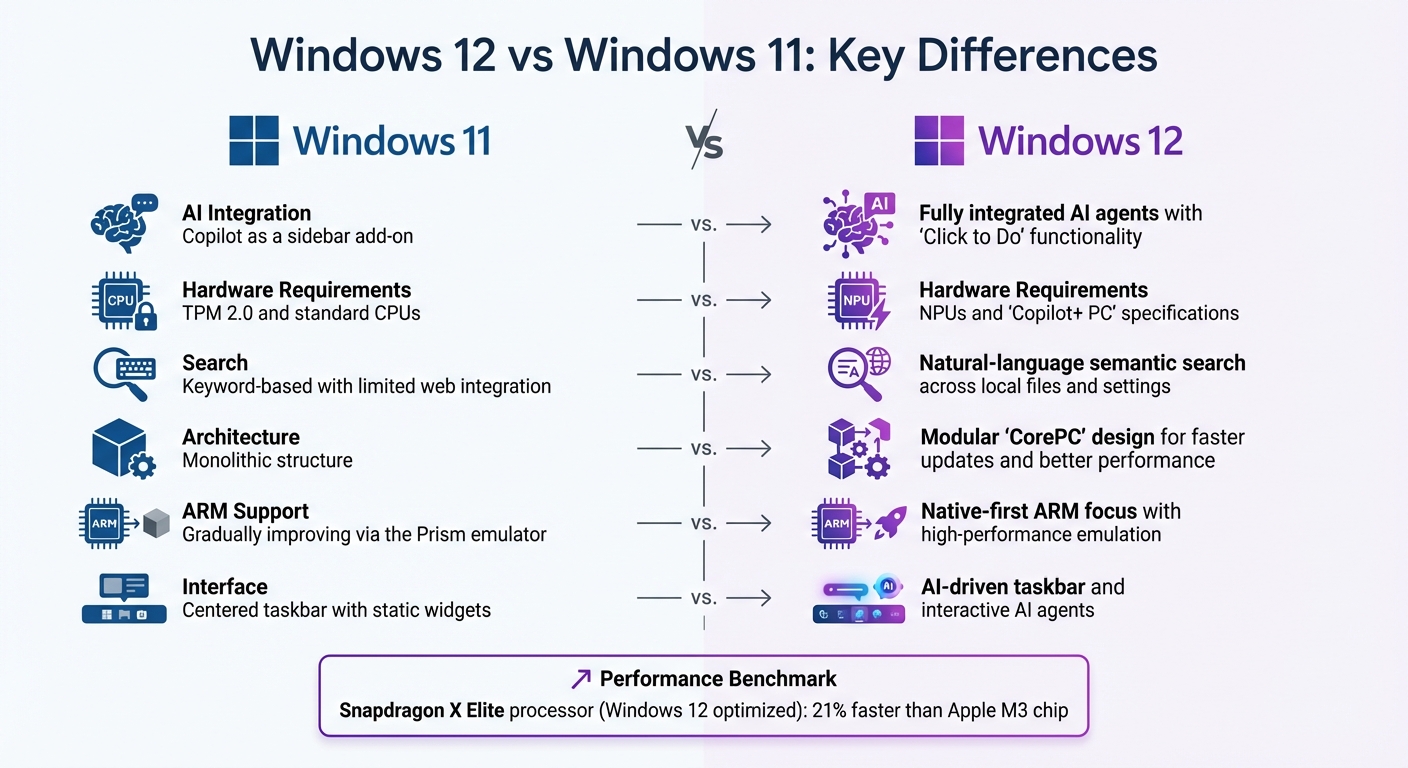
Windows 12 vs Windows 11: Key Features and Requirements Comparison
Let’s break down the key differences between Windows 12 and Windows 11, focusing on the features and enhancements that Microsoft is reportedly working on.
If you’re debating whether Windows 12 will be worth the upgrade, the decision may largely depend on its AI-driven capabilities and improved local processing power. While Windows 11 introduced the Copilot sidebar, Windows 12 is expected to take things further with deeply integrated AI agents that can analyze and manage applications seamlessly. This shift highlights how Microsoft plans to reshape user workflows.
Hardware Requirements
Hardware is a crucial factor. Windows 11 requires TPM 2.0 and standard CPUs, but Windows 12 might raise the bar by making Neural Processing Units (NPUs) a standard requirement. Tech expert Ed Bott has pointed out that Windows 12 may need a “Copilot+ PC” with an NPU to unlock its full capabilities. Devices that only meet Windows 11’s specs may fall short of delivering the complete experience [1].
Another rumored change is the introduction of the modular “CorePC” architecture. This design would separate the operating system into distinct components, enabling faster updates, better security, and reduced resource usage – especially on lower-end devices. Search functionality is also expected to evolve, moving from basic keyword searches to natural-language semantic searches across File Explorer, Settings, and local files.
Feature Comparison
Feature
Windows 11
Windows 12
AI Integration
Copilot as a sidebar add-on
Fully integrated AI agents with “Click to Do” functionality
Hardware Requirements
TPM 2.0 and standard CPUs
NPUs and “Copilot+ PC” specifications
Search
Keyword-based with limited web integration
Natural-language semantic search across local files and settings
Architecture
Monolithic structure
Modular “CorePC” design for faster updates and better performance
ARM Support
Gradually improving via the Prism emulator
Native-first ARM focus with high-performance emulation
Interface
Centered taskbar with static widgets
AI-driven taskbar and interactive AI agents
These updates illustrate how Windows 12 is designed to deliver better performance, smarter features, and enhanced security.
Early performance benchmarks are promising. For example, Qualcomm’s Snapdragon X Elite PC processor, which supports the advanced AI features expected in Windows 12, has been reported to be 21% faster than Apple’s M3 chip [1]. This suggests that devices optimized for Windows 12 could provide a noticeable boost in speed, particularly for AI-intensive tasks and workflows on ARM-based systems.
Can You Test Windows 12 Now?
At the moment, Windows 12 is not available for testing. Microsoft hasn’t released any beta builds or Insider Preview versions yet [3][4]. While the operating system is anticipated to launch sometime between 2026 and 2027, there are no early access programs currently in place.
As Tim Fisher, Senior Vice President & Group General Manager at Lifewire, explains:
“Windows 12 is not available from Microsoft. There isn’t a Windows 12 beta version or any other pre-release builds.”
– Tim Fisher [4]
For now, Microsoft is concentrating on updates for Windows 11. The version 25H2 build is already accessible to Windows Insider participants, and it rolled out widely in late 2025.
Stay Alert for Scams
Beware of websites claiming to offer “Windows 12 ISOs” or “leaked builds.” These are often scams or malware disguised as early access files. To avoid these risks, rely solely on official Microsoft channels for updates.
When Microsoft eventually releases pre-release builds of Windows 12, they will be distributed through the Windows Insider Program, specifically via the Canary or Dev channels. Keeping an eye on these channels is the safest way to access legitimate testing opportunities.
How to Prepare for Future Testing
If you want to be ready for when Windows 12 testing begins, consider joining the Windows Insider Program now. You can do this through your Windows Update settings, which will ensure you receive official notifications when preview builds are available. Additionally, make sure your hardware meets the expected requirements, such as 8GB of RAM and SSD storage, so you’re set to participate in testing when the time comes.
While there’s no way to test Windows 12 just yet, you can still enjoy a full Windows experience without installation. Curious? Keep reading to find out how.
Run Windows in the cloud today — free
Windows 12 isn’t out, but you don’t have to wait to work on a modern, always-updated Windows machine. Spin up a real Windows 11 desktop in your browser in a couple of minutes — no credit card, no install, no hardware upgrade.
You don’t need to wait for Windows 12 to experience a modern Windows desktop.
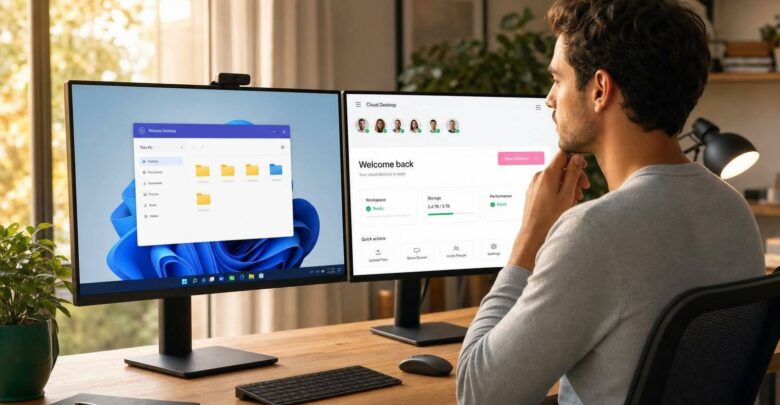
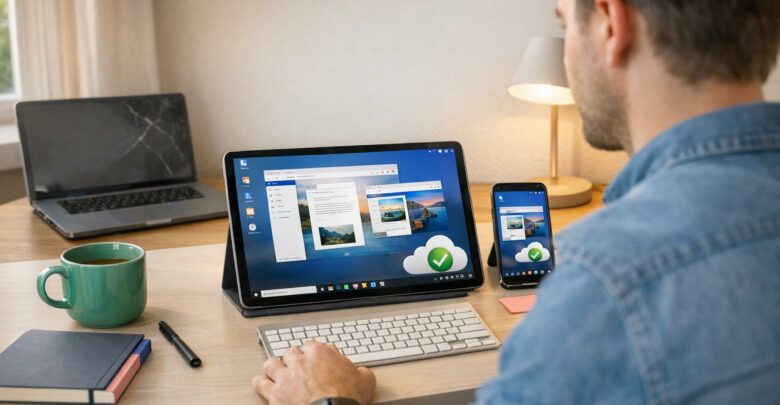
While you’re waiting for the release of Windows 12, why not explore a modern Windows experience in the cloud? With a free cloud-hosted Windows 11 desktop, you can run a full Windows system directly through your web browser – no need for local installation or hardware upgrades that might slow you down.
Want early access to Windows 12 without the hassle of installation?Sign up for our early access list, and we’ll notify you as soon as it’s available.
Instead of investing in new hardware to meet the rumored Windows 12 requirements – like 16GB of RAM, a 128GB SSD, and an NPU with 40 TOPS – you can tap into these capabilities through the cloud [5]. This approach not only bypasses hardware limitations but also ensures a consistent and secure Windows experience.
Why Choose a Cloud-Based Windows Desktop?
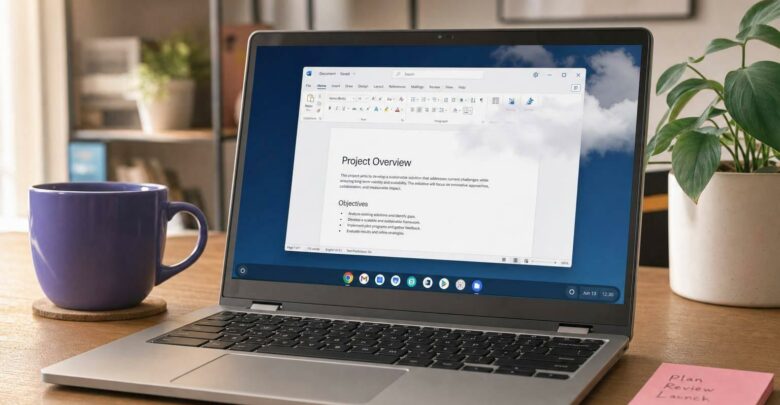
Cloud desktops eliminate the need to upgrade your local devices. Forget about meeting strict requirements like TPM 2.0, Secure Boot, or NPUs. With all processing handled on remote servers, you can enjoy advanced Windows features – even on a basic laptop that might not otherwise support them. Plus, security protocols are automatically managed in the cloud [5].
For businesses and remote workers, this flexibility can lead to significant savings. Instead of replacing entire fleets of computers to support a new operating system, teams can keep using their current devices while accessing a high-performance, modern Windows environment.
One option to consider is flexidesktop, which offers all the benefits of a cloud-hosted Windows desktop. Starting at $19 per month for individual users, flexidesktop provides virtual desktops with dedicated CPU, RAM, and SSD storage.
Setup is quick – just a few minutes – and gives you full administrator control, including the ability to install custom software. These desktops are accessible from any internet-connected device. For teams, flexidesktop offers shared plans tailored to various group sizes, starting at $49 per month for small teams and scaling up to support as many as 16 concurrent users.
Security features include daily backups, VPN access, and isolated private networks. Need Microsoft Office? You can add Office 2024 Pro Plus to your virtual desktop. Storage options range from 40GB to 120GB, ensuring flexibility for different needs.
Ready to experience a full Windows desktop without investing in new hardware? Sign up for early access today.
Conclusion
Windows 12 is on the horizon, with most predictions pointing to a release in late 2026 or possibly 2027 [3]. While Microsoft continues refining Windows 11 – such as the 25H2 update that rolled out in late 2025 – the groundwork for their next operating system is already underway.
Early indications suggest that Windows 12 will lean heavily into artificial intelligence. Anticipated features include a more capable Copilot and improved on-device processing powered by dedicated NPUs. Additionally, the modular “CorePC” architecture promises quicker updates and stronger security. Leaked UI designs hint at a floating taskbar and an adaptive interface tailored to different devices. However, these advancements come with increased hardware requirements, such as higher RAM, TPM 2.0, and NPUs, which may outstrip the capabilities of many current PCs.
For users facing these hardware challenges, a cloud-based Windows desktop are already a practical way to access modern Windows without upgrading your device. Instead of upgrading your PC, you can access a fully functional Windows environment through your browser. This eliminates the need for costly hardware updates, making it an appealing option for businesses and remote workers who want access to modern Windows features without the hassle of new hardware.
Want to try Windows 12 without the wait or installation headaches?Sign up for our early access list, and we’ll notify you as soon as it’s available. Until then, flexidesktop offers immediate access to cloud-hosted Windows desktops starting at $19 per month. With full administrator control and scalable options, you can explore Windows 12’s evolving features without worrying about hardware limitations.
No matter when Windows 12 officially launches, cloud desktops ensure you can stay ahead of the curve. Work with the latest Windows features today, using the devices you already own.
FAQs
Will Windows 12 be a free upgrade?
There’s no official word yet on whether upgrading to Windows 12 will come at no cost. While it’s anticipated that no subscription will be necessary to use the operating system, the exact pricing details are still unknown.
Will my Windows 11 PC run Windows 12?
When it comes to upgrading to Windows 12, whether your Windows 11 PC can handle it largely depends on its hardware and system specs. Early indications suggest Windows 12 may require more advanced features, including a processor that supports hardware-accelerated VBS (Virtualization-Based Security), at least 8 GB of RAM, SSD storage, and potentially a Neural Processing Unit (NPU).
If your PC already meets or exceeds these specifications, it’s more likely to be ready for Windows 12. However, the exact requirements will only be confirmed as the release date approaches.
How can I try a Windows 12-like experience online?
Since Windows 12 is not officially available yet, you can’t try the real version today. However, you can already run a full Windows 11 desktop in the cloud — free, accessible directly from your browser without installing anything.
This allows you to:
Use a real Windows environment, not a simulation
Access it from any device
Get a feel for how cloud-based Windows will work in the future
If you’re interested in trying Windows 12 as soon as it becomes available, joining an early access list is the best way to stay updated and be among the first to test it online.
Is Windows 12 real, or does it even exist?
Officially, no. Microsoft has never confirmed a product called “Windows 12.” Everything about it — the name, the features and the release date — is based on industry speculation, leaks and Microsoft’s historical release cadence. For now the company is shipping annual feature updates to Windows 11 instead of a brand-new OS.
Windows 12 release date: 2026 or 2027?
Most analysts lean toward 2027 rather than 2026. There was no Windows 12 announcement at CES 2026, and Windows 11 is supported with updates through October 2027 — a window that historically lines up with a new operating system. A late-2026 release is still possible, but looks less likely.
Israel de la Torre is the founder of flexidesktop and has spent 15+ years working in cloud infrastructure and Windows virtualization. He helps businesses migrate from on-premises Windows setups to managed cloud desktops.
Compare remote-access apps and cloud desktops to choose the right RDP alternative—use remote tools for occasional access or cloud PCs for always-on team work.
To provide the best experiences, we use technologies like cookies to store and/or access device information. Consenting to these technologies will allow us to process data such as browsing behavior or unique IDs on this site. Not consenting or withdrawing consent, may adversely affect certain features and functions.
Functional
Always active
The technical storage or access is strictly necessary for the legitimate purpose of enabling the use of a specific service explicitly requested by the subscriber or user, or for the sole purpose of carrying out the transmission of a communication over an electronic communications network.
Preferences
The technical storage or access is necessary for the legitimate purpose of storing preferences that are not requested by the subscriber or user.
Statistics
The technical storage or access that is used exclusively for statistical purposes.The technical storage or access that is used exclusively for anonymous statistical purposes. Without a subpoena, voluntary compliance on the part of your Internet Service Provider, or additional records from a third party, information stored or retrieved for this purpose alone cannot usually be used to identify you.
Marketing
The technical storage or access is required to create user profiles to send advertising, or to track the user on a website or across several websites for similar marketing purposes.
To provide the best experiences, we use technologies like cookies to store and/or access device information. Consenting to these technologies will allow us to process data such as browsing behavior or unique IDs on this site. Not consenting or withdrawing consent, may adversely affect certain features and functions.
Functional
Always active
The technical storage or access is strictly necessary for the legitimate purpose of enabling the use of a specific service explicitly requested by the subscriber or user, or for the sole purpose of carrying out the transmission of a communication over an electronic communications network.
Preferences
The technical storage or access is necessary for the legitimate purpose of storing preferences that are not requested by the subscriber or user.
Statistics
The technical storage or access that is used exclusively for statistical purposes.The technical storage or access that is used exclusively for anonymous statistical purposes. Without a subpoena, voluntary compliance on the part of your Internet Service Provider, or additional records from a third party, information stored or retrieved for this purpose alone cannot usually be used to identify you.
Marketing
The technical storage or access is required to create user profiles to send advertising, or to track the user on a website or across several websites for similar marketing purposes.