Avoid missed deadlines and lost clients with a cloud PC—access your desktop and files from any device with daily backups.
What happens when your laptop fails hours before a deadline? For freelancers, a single hardware failure can mean $220+ in emergency repairs, an all-nighter rebuilding lost work, and client relationships hanging by a thread. But there’s a straightforward fix: a cloud PC.
Here’s why freelancers are switching:
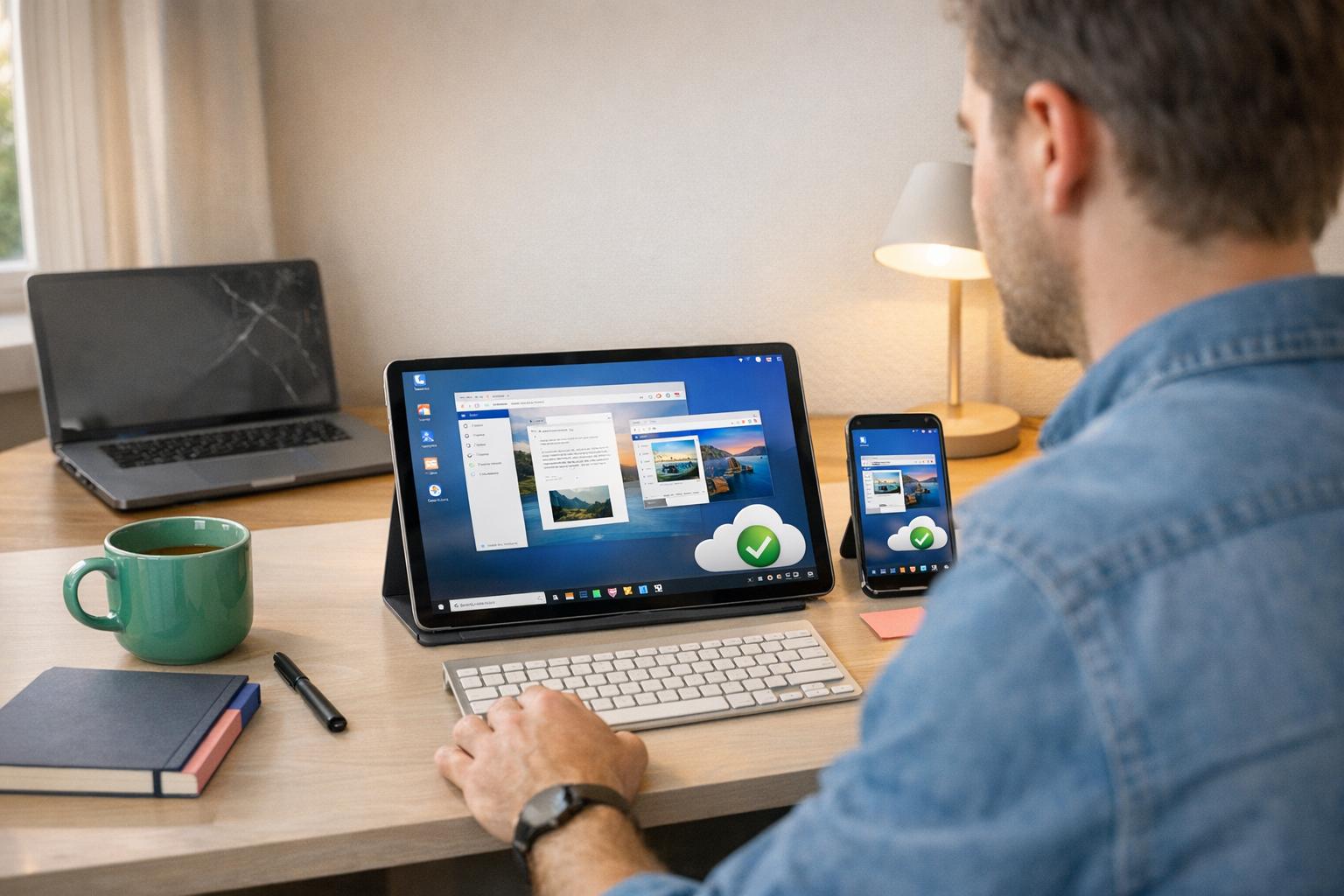
Work from any device, instantly. When your laptop dies, log in from your phone, tablet, or a borrowed computer and pick up exactly where you left off.
Automatic daily backups. Your files and installed apps live in a secure data center—never on a fragile hard drive.
Costs less than one repair. A cloud PC plan starts at less than $30/month—far less than the cost of a single SSD replacement and lost billable hours.
Victoria, a freelance virtual assistant, learned this the hard way when her laptop failed on the worst possible morning. Her story is a blueprint for why every freelancer needs a hardware-independent workflow.
Bottom line: A cloud PC breaks the dependency between your work and any one physical device. Whether you’re racing against a deadline or managing multiple clients, it’s the simplest insurance policy a freelancer can buy.
Act 1: The Day Everything Broke
Victoria’s Morning: The Boot Error
It’s Tuesday morning. Victoria, coffee in hand, powers up her five-year-old laptop at exactly 8:47 am. Instead of her desktop, she’s greeted by a chilling message: “No bootable device found.” Restarting doesn’t help—each attempt leads to the same dead end.
Her heart races. A 40-page executive report, painstakingly completed the night before, is due by noon. The report is saved locally, and now, it’s completely out of reach.
The Repair Shop: No Quick Fixes
By 10:15 am, Victoria is at a repair shop, clutching her laptop like a lifeline. The technician examines it and delivers bad news: same-day service isn’t guaranteed. “Late afternoon at best,” he says.
Her phone gives her access to emails, but it’s no substitute for the tools she needs—her CRM, specialized formatting apps, and crucial files are all locked away on the broken laptop. With no real options, she messages her client to explain the situation and heads to a coffee shop, where she waits, helpless. The hours tick by, and so does her anxiety.
Client Calls: Damaged Relationships
As the clock inches toward noon, the fallout begins. Clients start calling, and Victoria’s lack of access to her work tools becomes a glaring issue. At 11:42 am, her main client reaches out. The executive report was supposed to be the centerpiece of their 1 pm internal meeting. Though polite, the client’s frustration is unmistakable:
“I understand, but this can’t happen again.”
The day spirals further. At 3:10 pm, another client calls, upset about a missed 2 pm deadline for their weekly operations summary. This one is less forgiving:
“We’re re-evaluating the arrangement.”
With no way to recover her work in time, Victoria braces for a long night ahead.
The All-Nighter: Rebuilding From Scratch
By late afternoon, it’s painfully clear that the damage can’t be undone without starting over. At 4:55 pm, the repair shop finally calls: the SSD failed and has been replaced. The repair cost? $220. She picks up her laptop at 5:30 pm, only to find a clean slate—her local data is gone.
Thankfully, her cloud backups saved most of her files, but the all-important executive report wasn’t included. Starting at 7 pm, Victoria painstakingly reconstructs it from memory and scattered notes. At 2:58 am, she finally sends the report, accompanied by an apology. By 3:15 am, she collapses into bed.
The toll of the day? $220 in repairs, a full day of lost productivity, one client relationship hanging by a thread, and another likely gone. All because her laptop failed at the worst possible moment.
sbb-itb-bea6502
Bridge: The Workflow Question
None of this was on Victoria. Laptop drives fail—it’s just a matter of when, not if. A five-year-old SSD is practically on borrowed time: Backblaze’s independent drive reliability research confirms that failure risk grows consistently with every additional year of use.
But the real issue wasn’t just the broken laptop. It was that her entire workflow was tied to that one device. Everything—her files, apps, and projects—was stuck inside it. When the laptop failed, her work came to a screeching halt. No backup plan. No alternatives. Just an abrupt standstill until the machine could be repaired.
There wasn’t an IT department with a spare laptop ready to go. No help desk to call for immediate support. Her work and her device were one and the same—so when the laptop failed, her productivity crumbled with it. Relying on a single machine like this leaves zero wiggle room for mishaps.
Now, here’s the question worth pondering: What if Victoria had been working on a cloud-based PC instead?
Same Tuesday morning. Same boot error at 8:47 am. But the outcome? Completely different.
Act 2: The Same Day, Differently
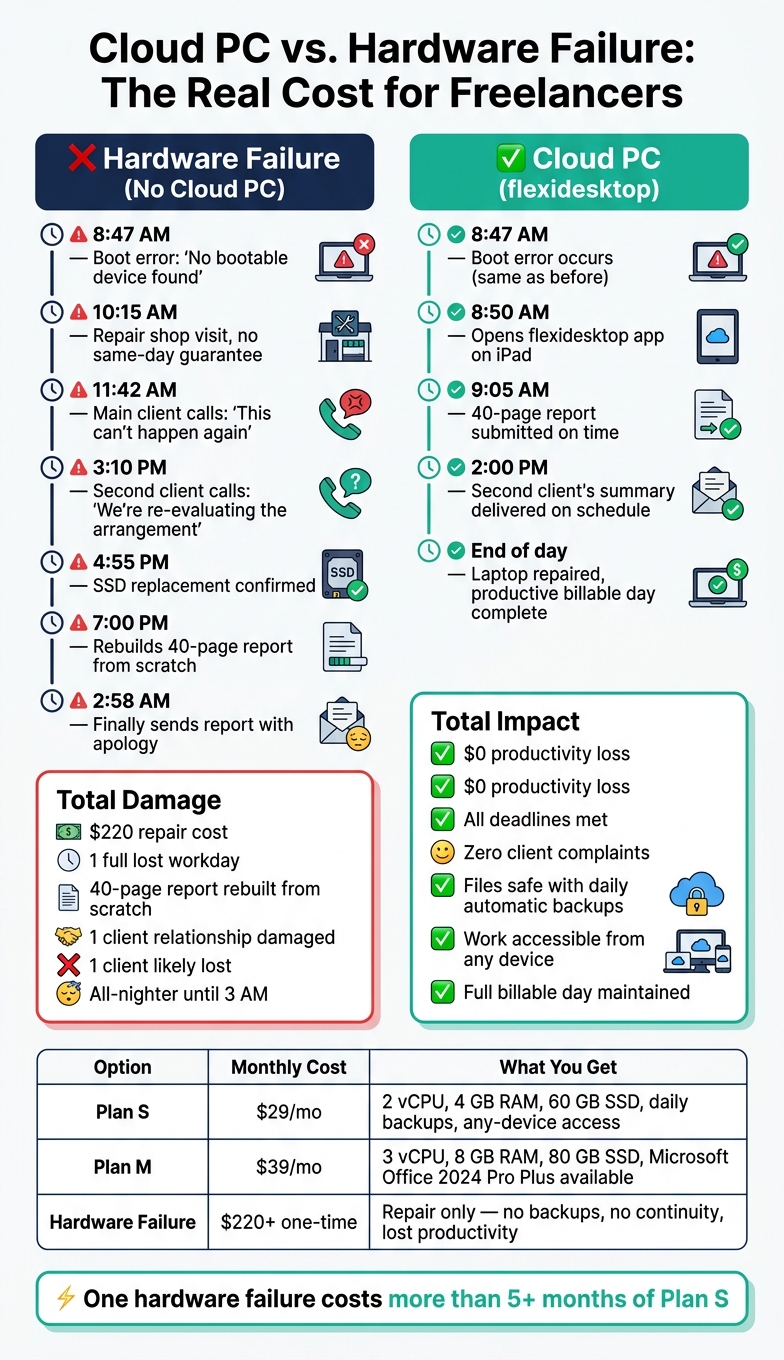
Cloud PC vs. Hardware Failure: The Real Cost for Freelancers
Victoria’s Morning: Logging In From Another Device
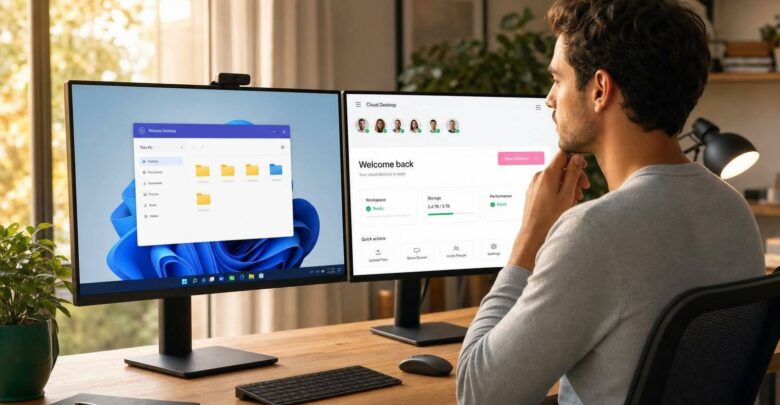
It’s 8:47 am on the same Tuesday. The dreaded boot error strikes, but Victoria keeps her cool. Instead of panicking, she sets her laptop aside, grabs her iPad, and opens the flexidesktop app. Within moments, her full Windows desktop appears just as she left it. The 40-page executive report she worked on the night before is right there, completed and ready to send.
By 9:05 am, the report is submitted on time. No delays. No client complaints. This smooth transition ensures her day starts without a hitch, free from hardware-induced stress.
Work Beyond the Hardware
Victoria’s work doesn’t depend on a single device. Everything she needs lives securely in the cloud, within her flexidesktop environment. Her files are stored in a secure data center, with daily automatic backups protecting even her last-minute updates. This means her work from the previous night is safe, no matter what happens to her hardware.
“Never worry about losing your data due to hardware failures or theft. flexidesktop backs up your data automatically and secures it with robust firewalls and end-to-end encryption.” — flexidesktop [1]
Thanks to these safeguards, her workday continues without interruption.
A Normal Workday: No Panic, No Lost Clients
Victoria drops her malfunctioning laptop off at a repair shop, but there’s no rush. She heads to a coffee shop, logs into her cloud desktop from her phone, and continues her tasks. By 2:00 pm, her second client’s weekly operations summary is sent out, right on schedule. Unlike the chaos of Act 1, her workflow remains intact. No frantic calls. No apologies.
Later that day, she picks up her repaired laptop and wraps up a productive, fully billable day.
Cloud PC vs. Hardware Failure: A Cost Comparison
Here’s how the two scenarios compare:
Scenario
Direct Cost
Hidden Cost
Hardware failure without a backup plan
$220 repair fee
1 lost workday + 2 damaged client relationships + all-nighter
Both plans include 24/7 uptime, daily automatic backups, and access from any device via browser or Remote Desktop app. You can try it free for 3 days.
The math is straightforward: one avoided hardware crisis covers more than a full year of Plan S. And that’s before accounting for the client relationships and billable hours you protect.
For freelancers, relying on a single device is a risky game. Unlike corporate employees who have IT departments to swoop in with a replacement laptop, freelancers are on their own. When your primary device fails, there’s no help desk to call or spare equipment waiting in the wings. You’re left to deal with the repair costs, lost hours, and awkward client updates. As flexidesktop puts it:
“Forget about hardware maintenance and updates. Let flexidesktop handle it all, so you can focus 100% on your work.” [1]
This lack of support makes outsourced maintenance a lifeline for independent professionals. Without it, a hardware issue can grind your entire workflow to a halt.
Hardware Fails at the Worst Times
It’s almost a guarantee: hardware problems strike when you’re busiest. Deadlines are looming, clients are waiting, and your machine decides to quit. This isn’t just bad luck—it’s the reality of overworked devices. If you’re relying on an older laptop that’s been pushed to its limits, it’s not a matter of if it’ll fail, but when.
And the cost of failure? It’s not just about fixing the device. It’s about missed deadlines, strained client relationships, and unbillable time. The real damage often lies in the opportunities lost while you scramble to recover.
Cloud PCs Remove the Hardware Risk
This is where cloud PCs come in. They shift the focus away from your physical device and make it a simple gateway to your work. Your files, apps, and entire Windows environment are stored securely in the cloud, running around the clock, no matter what happens to your laptop.
If your hardware fails, you can grab any device—a phone, tablet, or borrowed computer—log in, and pick up right where you left off. No reinstalling software, no lost data, no downtime. Suddenly, your physical device is just a tool: easily replaceable and no longer capable of derailing your day. Victoria’s nightmare scenario becomes a thing of the past.
What flexidesktop Users Say
Don’t take our word for it. Here’s what verified customers say on Trustpilot:
★★★★★
“I need a quick easy solution to run a program that only worked on a certain version of Windows 10 and with one click it just worked. I tried for hours to get it to work on my VM on my personal computer and with no success. Their team was able to get me set up with a VPN and a remote desktop so now there’s no worries.”
Frankie Viti · Verified Trustpilot review · March 2026
★★★★★
“The VDI performed well for what I needed and the setup was straightforward. What really stood out was the support team—responsive, professional and actually helpful in the real sense of the word, not just copy-paste replies. The base VDI was solid, the pricing is fair and the team treats you like a real customer.”
Oscar Reyes · Verified Trustpilot review · May 2026
★★★★★
“Flexidesktop works remarkably well, technically. I rent a small desktop for a month, do my work, then cancel the instance. I have been very happy with Flexidesktop.”
Steve · Verified Trustpilot review · May 2026
What Is a Cloud-Based PC and How Does It Work?
A Simple Definition of a Cloud PC
A cloud PC is a full Windows desktop that operates from a remote data center rather than your personal device. Instead of relying on your computer’s hardware, everything runs on a remote server. You access it through a browser or a Remote Desktop app, and the experience feels just like using a traditional Windows computer—only the screen output travels to your device, not the processing.
As Tina M., a verified flexidesktop user, explains:
“Virtual desktop functionality made easy! Easy to manage users. User interface operates nearly identical to a standard local desktop.” [1]
Your laptop, tablet, or even smartphone acts as a display, while all the heavy lifting happens remotely on infrastructure built for reliability. Curious to learn more? Dive deeper into what cloud PCs are and whether you need one.
What You Can Do on a Cloud PC
A cloud PC lets you perform virtually any task you’d do on a regular Windows PC. You can install software, manage files, run programs like CRMs, handle emails, and more—all while maintaining full administrator access.
One standout feature is that your cloud PC runs 24/7. Even if you shut down your local device, tasks like large uploads or background processes continue uninterrupted on the server. When you reconnect—from any device—everything is exactly where you left it. This constant uptime ensures your work is always safe and accessible, even if your hardware fails.
flexidesktop offers plans designed for individual professionals and small teams. Plan S starts at $29/month: 2 vCPU, 4 GB RAM, 60 GB SSD—ideal for core office tasks. Plan M at $39/month adds a third vCPU and doubles the RAM to 8 GB, which is the better fit for virtual assistants juggling multiple client workloads.
Both plans guarantee 24/7 availability, daily automatic backups, and access from any device. Microsoft Office 2024 Pro Plus can be added for $5/month. Higher-tier plans include advanced security features like security monitoring and file integrity tracking to help protect sensitive client data.
🔒 Infrastructure note: flexidesktop runs on OVHcloud and Hetzner data centers — both ISO/IEC 27001-certified providers with locations across the US, Europe, and Asia-Pacific. Your data benefits from the same enterprise-grade physical and network security used by large organizations, without the enterprise price tag.
Victoria’s situation highlights a challenge common to every freelancer: hardware risks stay invisible until they blow up. Ask yourself: does your entire workflow depend on a single device? If yes, you’re one failing SSD away from Victoria’s Tuesday.
A cloud PC makes the most sense if:
Your laptop is three or more years old (failure risk rises sharply after year four)
You manage multiple clients with tight turnaround expectations
Your critical files live only on local storage
You can’t afford a single day of downtime
You handle sensitive client data that needs encrypted, off-device storage
What should I do if my laptop fails before a work deadline?
The fastest recovery path is to log into a cloud PC from any other available device—your phone, a tablet, or a borrowed computer. With a cloud desktop like flexidesktop, your files, apps, and full Windows environment are stored in a remote data center, not on the broken hardware. You can be back online and productive within minutes. Without a cloud PC, your options shrink to hoping the repair shop can do same-day service—which, as Victoria discovered, is rarely guaranteed.
How much does it cost to protect my freelance workflow from hardware failure?
A cloud PC plan starts at $29/month with flexidesktop Plan S. A single laptop repair typically runs $150–$300, not counting lost billable time or damaged client relationships. One avoided hardware crisis more than covers an entire year of cloud PC protection. There’s also a 3-day free trial, so you can verify it fits your workflow before committing.
Can I use a cloud PC on my phone or tablet if my laptop breaks?
Yes. Your cloud desktop is accessible from any internet-connected device—smartphone, tablet, another laptop, or even a public library computer. Open the flexidesktop app or a browser, log in, and your desktop appears exactly as you left it: all files, installed software, and in-progress work intact.
Is a cloud PC safe for storing sensitive client data?
Cloud PCs use enterprise-grade data centers with end-to-end encryption, robust firewalls, and daily automatic backups—significantly more secure than local storage on a laptop that can be lost, stolen, or suffer a sudden drive failure. flexidesktop’s infrastructure runs on OVHcloud and Hetzner, both ISO/IEC 27001-certified data center providers with global locations across the US, Europe, and Asia-Pacific. Higher-tier plans add file integrity tracking and security monitoring. For specific regulatory requirements, always verify current certifications and capabilities directly with flexidesktop before making compliance-related decisions.
What is a cloud PC and how is it different from cloud storage?
Cloud storage (Dropbox, Google Drive) only syncs files. A cloud PC runs your entire operating system—including all installed software, your CRM, and every app—on a remote server. You interact with it just like a physical Windows PC, but it’s completely independent of your local hardware. If your device breaks, the cloud PC keeps running; you just need a screen to connect to it.
Conclusion: Build a Workflow That Survives Hardware Failure
Victoria’s experience makes one thing clear: hardware fails, and for freelancers, there’s no IT safety net to catch you. The real question isn’t whether your laptop will fail—it’s whether your workflow is ready when it does.
With a cloud PC, hardware failures become a minor inconvenience instead of a career-threatening event. Your files, applications, and entire desktop environment live securely in a data center—not on a fragile hard drive. Your laptop becomes just a screen. If it breaks, you log in from the nearest device and keep working.
The fix is simpler than most freelancers expect. flexidesktop’s Plan M at $39/month is built for virtual assistants and contractors managing multiple clients. Compare that to the cost of a single SSD repair, one lost workday, and one angry client—it’s not a difficult calculation.
Try flexidesktop free for 3 days.
Don’t let a hardware failure decide your professional reputation.
Israel de la Torre is the founder of flexidesktop and has spent 15+ years working in cloud infrastructure and Windows virtualization. He helps businesses migrate from on-premises Windows setups to managed cloud desktops.
Compare remote-access apps and cloud desktops to choose the right RDP alternative—use remote tools for occasional access or cloud PCs for always-on team work.
To provide the best experiences, we use technologies like cookies to store and/or access device information. Consenting to these technologies will allow us to process data such as browsing behavior or unique IDs on this site. Not consenting or withdrawing consent, may adversely affect certain features and functions.
Functional
Always active
The technical storage or access is strictly necessary for the legitimate purpose of enabling the use of a specific service explicitly requested by the subscriber or user, or for the sole purpose of carrying out the transmission of a communication over an electronic communications network.
Preferences
The technical storage or access is necessary for the legitimate purpose of storing preferences that are not requested by the subscriber or user.
Statistics
The technical storage or access that is used exclusively for statistical purposes.The technical storage or access that is used exclusively for anonymous statistical purposes. Without a subpoena, voluntary compliance on the part of your Internet Service Provider, or additional records from a third party, information stored or retrieved for this purpose alone cannot usually be used to identify you.
Marketing
The technical storage or access is required to create user profiles to send advertising, or to track the user on a website or across several websites for similar marketing purposes.
To provide the best experiences, we use technologies like cookies to store and/or access device information. Consenting to these technologies will allow us to process data such as browsing behavior or unique IDs on this site. Not consenting or withdrawing consent, may adversely affect certain features and functions.
Functional
Always active
The technical storage or access is strictly necessary for the legitimate purpose of enabling the use of a specific service explicitly requested by the subscriber or user, or for the sole purpose of carrying out the transmission of a communication over an electronic communications network.
Preferences
The technical storage or access is necessary for the legitimate purpose of storing preferences that are not requested by the subscriber or user.
Statistics
The technical storage or access that is used exclusively for statistical purposes.The technical storage or access that is used exclusively for anonymous statistical purposes. Without a subpoena, voluntary compliance on the part of your Internet Service Provider, or additional records from a third party, information stored or retrieved for this purpose alone cannot usually be used to identify you.
Marketing
The technical storage or access is required to create user profiles to send advertising, or to track the user on a website or across several websites for similar marketing purposes.